



Writer: Joe Warnimont


Editor: Britain Simons


Reviewer: Lillian Castro

Key Takeaways
Our experts compared today’s top Windows VPS hosts on licensing, Windows Server versions, and support to help you find the right server.
I remember the early days of my career when I built websites for golf courses. For the typical course, shared hosting worked just fine. But some courses were true destinations, drawing heavy website traffic from travelers and locals all competing for tee times.
Those courses needed VPS (virtual private server) hosting. More often than not, that meant signing them up for VPS Windows hosting, a compromise between shared (cheap) and dedicated (enterprise) hosting. These websites needed server isolation and similar resources (for performance and security purposes) for dedicated hosting without the hefty cost.
Windows VPS hosting still fills that gap, but pricing and licensing vary far more than they do on Linux (read more below). We reviewed each host’s Windows plans in our full reviews, along with Windows Server versions and license terms. Check out each host’s top benefits, hardware, and offers below so you can determine which is the highest-value Windows virtual server for your needs.
-
Navigate This Article:
1. IONOS ($16.00/mo): Dedicated Windows VPS+ Line
IONOS sells Windows as its own product, Windows VPS+, with tiers and pricing separate from its Linux line. Get cheap and secure plans that support unlimited traffic.
The hosting provider offers a fast NVMe SSD for rapid storage, and you get unlimited traffic on a connection of up to 1 Gbit/s. Each Windows VPS has DDoS (distributed denial of service) protection, which helps to keep malicious traffic from overloading your server.
You get to pick the location of your Windows VPS server, too. IONOS has datacenter locations in the EU, UK, and US. Its Windows VPS introductory plans also provide full root access and at least two vCores. As with all IONOS hosting, pricing remains low.
IONOS.com

Monthly Starting Price $16.00
- Powerful Windows VPS for $16.00/month
- 100% SSD storage and 99.99% uptime guarantee
- Full root access and optional Plesk control panel
- Unlimited bandwidth and instant scalability
- 30-day money-back guarantee
- Get started on IONOS now.


Christina Lewis

| Setup Time | Disk Space | CPU | RAM |
|---|---|---|---|
| 6 minutes | 120 GB – 720 GB NVMe | 2 – 12 vCores | 4 GB – 24 GB |
IONOS Windows VPS: Top Features
- VM cloning, load balancers, and private networking
- Built-in AI Assistant for firewall, restart, and troubleshooting tasks
- Personal consultant plus 24/7 expert support
- Unlimited traffic on a 1 Gbps connection, no setup fees
Choose your OS carefully, though. A Windows VPS+ can’t be switched to Linux later. Moving to Linux means placing a new order, so IONOS points customers who want OS flexibility to its Cloud Server plans instead. IONOS’s Linux VPS plans run AlmaLinux, Debian, Rocky Linux, or Ubuntu.
Regardless of the OS, IONOS VPS hosting includes a control panel and KVM console for immediate access to your server. It also offers encrypted remote access through RDP (remote desktop protocol) on Windows, or SSH (secure shell) on Linux, for a secure connection on the go. Along with encrypted remote access, you get 2 email addresses with anti-spam, and a wildcard SSL certificate.
Other advantages include a built-in AI Assistant that can restart your server, reinstall the OS, configure firewalls, and troubleshoot performance issues.
IONOS Windows VPS: Pros and Cons
This is built for businesses that want fixed Windows tiers with room to add servers, storage, and load balancing as they grow.
Pros
- Dedicated Windows product line
- Low introductory rate
- Unlimited traffic
- Personal consultant
- Clone and add VMs on demand
- No setup fees
Cons
- Can’t switch to Linux later
- One-year term required for promo
IONOS is the easiest way here to get a mid-size Windows server with a named person to call when you need help, plus room to add servers and storage without changing plans.
License Terms: Access to two of the most recently updated operating system versions (Windows Server 2022 or 2025). Windows VPS+ with RDP access and a KVM console fallback; full root/administrator access; OS stays Windows once ordered (switching to Linux requires a new order).
Read the full IONOS Hosting Review >>
2. Kamatera ($31.00/mo): Widest Windows Server Selection
The beauty of Kamatera hosting comes in its support for different operating systems. Its cloud VPS plans let you pick your datacenter location, operating system, and add-ons. On Windows builds, the license cost is included in the quoted price.
You could go with a datacenter in New York City and pick from more than 100 OS images, including Ubuntu, Rocky Linux, FreeBSD, Debian, and Windows. It doesn’t stop there because Kamatera allows you to opt for an older version of the Windows operating system (Server 2016 through 2025, in Standard or Datacenter editions) should you need it for compatibility reasons.
Kamatera.com

Monthly Starting Price $31.00
- Cloud-powered SSD VPS with Intel Xeon vCPUs
- Run any Linux or Windows operating system edition
- Superb 99.95% uptime rate and 24/7 support
- Up to unlimited Plesk licenses available
- 30-day FREE trial with no hidden fees
- Get started on Kamatera now.


Surajdeep Singh

| Setup Time | Disk Space | CPU | RAM |
|---|---|---|---|
| 5 minutes | 30 GB – 4 TB NVMe | 2 – 32 cores | 2 GB – 128 GB |
Kamatera Windows VPS: Top Features
The Windows VPS offerings from Kamatera integrate with several pre-configured apps and services, including NGINX, Docker, and Node.js. Kamatera has basic VPS plans, which include preset vCPU, RAM, and SSD storage. Even those allow you to select your VPS Windows server’s datacenter location and operating system.
The Kamatera customized plans are another story. You can tailor your IP address, internet traffic, RAM, and processing power for your VPS server. As for add-on Windows VPS features for your operating system, Kamatera offers Plesk (Web Admin, Web Pro, or Web Host editions), Microsoft SQL Server (Express is free), and per-user Remote Desktop licenses.
Kamatera Windows VPS: Pros and Cons
This is built for developers and IT teams who want to size a Windows server exactly, or test a Windows build before paying for it.
Pros
- Widest Windows version range
- License bundled into price
- Hourly billing by the minute
- 30-day free trial
- 20+ global data centers
- Managed services available
Cons
- Configurator has a learning curve
- Windows entry is $31 vs. $4 on Linux
The trial is the reason to start here. Build the exact Windows server your app needs, run it for 30 days, and pay nothing if you cancel before the trial ends and stay within its limits.
License Terms: Windows Server 2016, 2019, 2022, or 2025 in Standard or Datacenter; license included in the configured price; free trial covers one server up to $100 for 30 days with a valid physical credit card.
Read the full Kamatera Review >>
3. Liquid Web ($54.00/mo): Three Tiers of Managed Support
You can choose between self-managed, Core managed, or Fully managed Windows VPS hosting when you sign up for a Liquid Web private server. You also receive Windows Server 2025 Standard pre-installed and full administrator access to the VPS Windows server.
Though pricier than its competition, Liquid Web adds value to its VPS plans with more CPU and RAM in its lower-tier offerings. It maintains everything through its management portal; you can tap into optional Acronis cyber backups and a centralized hosting management area for multiple sites running simultaneously.
LiquidWeb.com

Monthly Starting Price $54.00
- Top-rated virtual servers with Windows OS
- Ideal for high-traffic websites and apps
- Self, Core, or Fully managed options
- Get total peace of mind with managed servers
- 2 – 6 cores and 3 – 7 TB of bandwidth
- Get started on Liquid Web now.
Christina Lewis
| Setup Time | Disk Space | CPU | RAM |
|---|---|---|---|
| 7 minutes | 80 GB – 640 GB SSD | 2 – 6 cores | 4 – 16 GB |
Liquid Web Windows VPS: Top Features
- Three management tiers: self, Core, or Fully managed
- Plesk available on fully managed Windows servers
- Standard DDoS protection and a dedicated IP
- Monthly, yearly, or two-year billing (up to 15% off)
In addition to the default dashboard, users can configure Plesk (or cPanel on Linux) as their command center. Either way, the panel opens up system-level access to application deployment, automated updates, and maintenance features, among other tools.
More Windows VPS features to look forward to include a dedicated IP address, standard DDoS attack prevention, and an integrated firewall. With a Cloudflare CDN (content delivery network) for speedier page loads and a ServerSecure Advanced Security system (on fully managed servers), Liquid Web is one of the best VPS Windows hosting options available.
Liquid Web Windows VPS: Pros and Cons
This is built for businesses that want to start self-managed and move to a fully managed Windows server without re-platforming.
Pros
- Three management tiers
- Windows Server 2022 or 2025 Standard
- Plesk on fully managed Windows
- U.S. and European data centers
- Dedicated IP included
- Multi-year billing discounts
Cons
- Highest Windows entry price (3x Linux)
- Acronis backups cost extra
- No refunds on hosting
Liquid Web costs more than anyone else on this list, and the Windows premium is steep. The payoff is a support path that grows with you, from self-managed to fully managed on the same server, with the same control panel options on every tier.
License Terms: Windows Server 2022 or 2025 Standard Edition; license cost built into the configured price, not itemized; root/administrator access on every management tier.
Read the full Liquid Web Review >>
4. InterServer ($10.00/mo): Hyper-V Windows by the Slice
Although it also has Linux and storage VPS offerings, the main attraction for many users is the Windows server. InterServer streamlines businesses looking to grow with a wide variety of plans for scaling up your website — many of which provide more than 30TB for transfers.
You simply begin with a low-cost starter plan and incrementally upgrade as needed. As with most Windows servers, InterServer VPS options support languages including ASP.NET, Microsoft Access, and Microsoft SQL Server. Each slice adds 2 GB RAM, 40 GB SSD, and 2 TB of transfer, and managed support kicks in automatically at 8 slices.
InterServer’s Windows VPS runs on native Hyper-V and gives you full administrative access, so you can adjust the Windows platform without restrictions. Compared to shared hosting, InterServer makes sure every VPS user gets flexible resources on demand. You can fine-tune everything from storage and memory to CPU cores and transfer rates.
InterServer.net

Monthly Starting Price $10.00
- Affordable Windows VPS with flexible pricing
- Windows Server 2022
- Deploy within 20 minutes with instant setup
- Plenty of RAM and data transfer
- Cloud backups and snapshots included
- Get started on InterServer now.


Sead Fadilpasic

| Setup Time | Disk Space | CPU | RAM |
|---|---|---|---|
| 6 minutes | 80 GB – 1.28 TB SSD | 1 – 16 CPUs | 4 – 64 GB |
InterServer Windows VPS: Top Features
- Native Hyper-V virtualization with full administrator access
- Remote Desktop access on Windows plans
- Managed support included automatically at 8+ slices
- 99.9% uptime guarantee and SSD storage on RAID-10
InterServer Windows VPS hosting integrates with Plesk (licensed as an add-on) as another way to control your server environment. That means you can manage multiple sites on the Plesk dashboard and run everything from updates to performance reports in a matter of seconds. The combination with Plesk elevates the server’s support for several tools, including Let’s Encrypt, Git, and Cloudflare.
Finally, InterServer provides what’s called a Windows Remote Desktop. This functions as a remote access solution, allowing you to view and manage server resources anywhere, anytime. So, InterServer gives you the most compatibility-friendly operating system for a VPS and enables companies with remote workers to tap into the system easily.
InterServer Windows VPS: Pros and Cons
This is built for budget-focused teams that need genuine Windows Server and want to scale in small steps without changing plans.
Pros
- Low-cost Windows entry
- Hyper-V with admin access
- Managed support at 8 slices
- Remote Desktop included
- Month-to-month billing, cancel anytime
Cons
- No trial or money-back guarantee
- U.S. data centers only
- Control panels & automated remote backups cost extra
InterServer fits if you want Windows without a big jump from Linux pricing. There’s no refund window, so treat the first month as your test. Billing is month to month, and you can cancel from your account at any time.
License Terms: Windows Server with Remote Desktop; administrator access on Hyper-V; Plesk and other panels licensed separately.
Read the full InterServer review >>
5. Hostwinds ($22.99/mo): Choose Your Windows Server Release
Hostwinds offers a fully managed Windows VPS at several price points. Its secure Windows servers boast high speeds and bandwidth, even on entry-level plans. On one of its basic plans, you receive access to one CPU and suitable levels of RAM and storage for a small site or app, or scale up for a high-traffic website.
Every plan includes at least 1TB of bandwidth, and it goes all the way up to 9TB with the highest-level plans. Hostwinds offers an unmanaged Windows VPS that allows you to save money and take more control of the server.
This VPS option could save you up to 50% compared to managed hosting. Whether an unmanaged VPS or managed VPS, all VPS hosting plans from Hostwinds include real-time server monitoring and instant scalability as your business grows, with nightly backups available as an add-on. Every server deploys with its Windows license activated automatically.
Hostwinds.com

Monthly Starting Price $22.99
- Managed or unmanaged virtual servers available in Windows
- Cloud hosting with hourly or monthly billing
- Instant upgrades without downtime
- FREE around-the-clock monitoring
- Automatic nightly backups available
- Get started on Hostwinds now.


Jack Wallen

| Setup Time | Disk Space | CPU | RAM |
|---|---|---|---|
| 6 minutes | 30 GB SSD – 750 GB SSD | 1 – 16 cores | 1 – 96 GB |
Hostwinds Windows VPS: Top Features
- Windows license included and activated automatically at deploy
- RDP and VNC access with full Administrator control
- Real-time monitoring that opens support tickets automatically
- 99.9999% uptime, snapshots, and an enterprise firewall on every plan
The custom-built cloud server interface from Hostwinds helps all users quickly access their virtual private servers. Not only that, but the cloud server portal grants you access to load balancers, volumes, firewall protection, and snapshots. The snapshots generate a complete real-time backup of your site. They help with running multiple Windows virtual private servers at once.
Windows is deployed instantly when you sign up for a Hostwinds VPS, after you choose your Windows version (2012, 2016, 2019, or 2022). The Hostwinds VPS hosting service also features enterprise Intel hardware with a long history of running smoothly with the Windows OS. You connect over RDP or VNC with full Administrator access.
Hostwinds Windows VPS: Pros and Cons
This is built for businesses running version-specific Windows software that want managed help available without switching hosts.
Pros
- License included on every plan
- Choice of Windows Server release
- RDP and VNC access
- 10 managed plan sizes
- Free website transfer
- Auto-ticketing server monitoring
Cons
- Backups cost extra
- No MSSQL licenses
- Server 2012 is past end of support
- 72-hour refund window
Hostwinds makes sense if you want a licensed Windows server running within minutes, backed by a team of Windows specialists. Start unmanaged to keep costs down, or choose a managed plan and hand off OS updates, virus scans, and boot failures.
License Terms: Windows Server license included and auto-activated; Server 2012, 2016, 2019, and 2022 available at deploy; RDP and VNC included; MSSQL licenses not offered, though Hostwinds’ technicians can help install one you buy from Microsoft.
Read the full Hostwinds Review >>
6. AccuWebHosting ($6.33/mo): Lowest-Cost Licensed Windows
When it comes to VPS Windows hosting, AccuWebHosting deserves an honorable mention for its one-month free trial with no need to enter your credit card information. After the trial period ends, AccuWeb Hosting offers affordable VPS hosting using the Windows operating system and respectable RAM, bandwidth, and storage levels. A separate 180-day Windows Eval plan covers short-term testing and demos.
You can deploy a Windows server soon after a quick order verification, when you sign up for AccuWebHosting. It includes administrative-level VPS access, a free SSL certificate, and complimentary backups, with daily backups available as an add-on.
AccuWebHosting provides a free email server (MailEnable), a free database server (MSSQL Express), and a free VPS Windows control panel (SolidCP or aaPanel) packed with tools for upgrading your VPS hosting plan, accessing your server remotely, and managing your free MySQL database.
AccuWebHosting.com

Monthly Starting Price $6.33
- Performant Windows VPS with SSDs available
- Choice of Windows Server 2019, 2022, or 2025
- 99.9% uptime guarantee with Windows VPS
- Full admin access and FREE backups
- Option to get a FREE VPS for 1 month!
- Get started on Accuwebhosting now.
Jack Wallen
| Setup Time | Disk Space | CPU | RAM |
|---|---|---|---|
| 6 minutes | 40 GB – 200 GB SSD | 1-4 vCPU | 1-16 GB |
AccuWebHosting Windows VPS: Top Features
- Licensed Windows Server 2019, 2022, or 2025
- Free SolidCP, MSSQL Express, and MailEnable
- 180-day Windows Eval plan and a free-first-month offer
- Guaranteed dedicated resources on a 1 Gbps port
You get a free Let’s Encrypt SSL certificate with every AccuWebHosting Windows VPS plan. To add to that security potential, you receive Clamwin antivirus software, a Windows firewall, and regular audits to ensure your server remains free of attacks and malware. The VPS also supports classic programming languages like Fast CGI, ASP.NET, and PHP.
Select from 17 data center locations across North America, Europe, Africa, and Asia-Pacific and enjoy additional features such as FTP (file transfer protocol) accounts, Git support, and failed request tracing. AccuWebHosting provides its default panel, or you can choose from multiple forms of Plesk — from Plesk Web Admin to Plesk Web Pro.
AccuWebHosting Windows VPS: Pros and Cons
This is built for developers, traders, and small businesses that want to test or run Windows workloads at the lowest licensed price on this list.
Pros
- Lowest licensed Windows entry price
- 180-day evaluation plan
- Free month, no credit card
- Free SolidCP and MSSQL Express
- 17 global locations, with guaranteed dedicated resources
Cons
- Daily backups cost extra
- Extra RDP users cost $40/mo per 5 devices
- 7-day refund window
Start with the Eval plan or the free month to confirm your app runs, then move to a standard plan for anything long-term. Managed support is an add-on here, so AccuWebHosting suits people comfortable administering Windows themselves.
License Terms: Windows Server license included on every standard plan (2025 from Pearl up); full RDP and administrator access and up to 2 concurrent RDP users before extra CALs. Eval plan ends at 180 days. Free offer runs Server 2019. 7-day money-back guarantee.
Read the full AccuWeb Review >>
7. GoDaddy ($17.99/mo): Windows Server With Plesk Editions
Perhaps most recognizable for its domain names, cheap web hosting, and managed WordPress hosting, GoDaddy also offers an impressive VPS Windows system. Every GoDaddy VPS, in self-managed or fully managed format, grants you full root access and several optional control panels.
GoDaddy should serve you well if you’re looking for cheap VPS web hosting. Windows plans give you at least two vCPUs and robust NVMe SSD storage. Snapshot backups come standard, and Windows servers come with Plesk Web Pro or Plesk Web Host Edition. You can also construct your entire design with a free website builder.
GoDaddy.com

Monthly Starting Price $17.99
- Fast, scalable, and secure Windows VPS hosting
- Highly customizable servers with full root access
- Windows with Plesk available for managed plans
- Develop high-performance web apps with ASP.NET
- SQL Server 2019
- Get started on GoDaddy now.


Lynn Cadet

| Setup Time | Disk Space | CPU | RAM |
|---|---|---|---|
| 7 minutes | 100 GB – 200 GB NVMe | 2 – 4 cores | 4 – 16 GB |
GoDaddy Windows VPS: Top Features
- Windows Server in Plesk Web Pro or Web Host editions
- Unlimited traffic on NVMe SSD storage
- 7 days of automated snapshot backups, plus on-demand snapshots
- Data centers in North America, Europe, and Asia-Pacific
One catch with GoDaddy VPS hosting involves its low-priced plans. You generally can’t get Windows hosting with its super cheap web hosting. But you always have the option for a VPS with the Linux OS, and you can upgrade to one of the many still affordable VPS plans to install Windows.
Every GoDaddy VPS account lets you choose from data centers in the US, Europe, and Singapore for even more control. In addition, your VPS hosting plan includes a free SSL certificate for the first year. Pair that with continuous DDoS protection (with a dedicated IP) for high security.
GoDaddy VPS hosting keeps seven days of automated backups in case anything goes wrong along the way. Simply click a button to restore a snapshot of your website from a previous date.
GoDaddy Windows VPS: Pros and Cons
This is built for site owners who already use GoDaddy and want a Windows server managed through Plesk rather than the command line.
Pros
- Plesk editions for Windows
- Unlimited traffic
- Automated snapshot backups
- 24/7 support
- Three global regions
- 30-day refund on annual plans
Cons
- No Windows on entry plan
- 48-hour refund on monthly plans
GoDaddy is the familiar option: one account for your domains, SSL, and a Windows server with Plesk. Weigh the three-year commitment behind the promo rate, and confirm which Windows Server version you’ll get before you deploy.
License Terms: Windows Server in Plesk Web Pro or Plesk Web Host editions on 2 vCPU plans and up; root/administrator access; refunds within 30 days on annual terms or 48 hours on monthly, voided once a service is performed.
Read the full GoDaddy Review >>
Windows VPS Versus Linux VPS
A Windows VPS works like any other VPS: your own slice of a physical server, with dedicated CPU, RAM, and storage. The differences come down to three things:
- Licensing
- Remote access
- Which Windows Server release you run
Licensing is the big one. Linux is free to run, but every Windows server needs a Microsoft license, and hosts pass that cost on to you. At Liquid Web, the same 2-core, 4 GB configuration costs $17/mo on Linux and $54/mo on Windows. At Kamatera, the cheapest Linux build is $4/mo, and the cheapest Windows build is $31/mo. Most hosts on this list fold the license into the monthly price instead of billing it separately.
Remote access is graphical. You manage a Windows VPS through Remote Desktop Protocol (RDP), which gives you a full Windows desktop in a window. Windows Server allows two simultaneous admin sessions by default. More concurrent users need Remote Desktop licenses (CALs), which some hosts sell as add-ons.
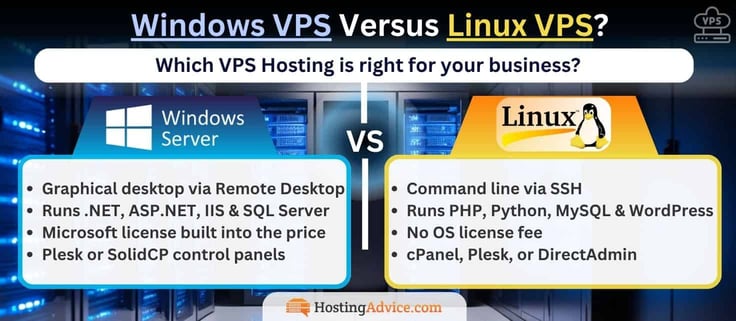
Beyond licensing and remote access, the two platforms differ in the software they run, how they’re secured, and how much hardware they need. If you’re weighing a switch in either direction, these are the trade-offs that shape day-to-day work on the server.
Table 1: Windows VPS vs. Linux VPS
| Windows VPS | Linux VPS | |
|---|---|---|
| Remote access | RDP (graphical desktop) | SSH (command line) |
| Learning curve | Familiar Windows desktop that’s easy for beginners | Command line with a steeper learning curve, but highly customizable |
| OS licensing | Microsoft license, usually built into the monthly price | No license fee |
| Typical stack | .NET, ASP.NET, IIS, Microsoft SQL Server | PHP, Python, MySQL, LAMP/LEMP |
| Microsoft software | Runs Access, Exchange, and Active Directory natively | .NET runs cross-platform, but most Microsoft apps don’t |
| Common control panels | Plesk, SolidCP | cPanel, DirectAdmin, Plesk |
| Concurrent remote users | 2 admin sessions; more require RDS CALs | Not limited by an OS license |
| Security | Built-in Windows Firewall and Defender, plus monthly Microsoft patches | Small attack surface and less targeted by malware |
| Support | Your host, plus Microsoft documentation and paid Microsoft support plans | Your host, plus a large open-source community |
| Minimum resources | 2 GB RAM recommended for the Desktop Experience | Lightweight distributions run on 1 GB RAM or less |
| Game servers | Required for Windows-only dedicated server software | Runs most popular game servers with less overhead |
Standard or Datacenter? Both editions run the same applications. Datacenter adds features for running many virtual machines and software-defined storage, which matters mainly if you plan to run Hyper-V inside your VPS. For a typical website or app server, Standard covers it.
Version matters more than it used to. Microsoft supports each Windows Server release for about 10 years. Running a release past its end date means no more security patches.
Table 2: Windows Server versions on this list
| Version | Security updates end | Offered by |
|---|---|---|
| Windows Server 2012 | Ended October 10, 2023 | Hostwinds |
| Windows Server 2016 | January 12, 2027 | Kamatera, Hostwinds |
| Windows Server 2019 | January 9, 2029 | Kamatera, Hostwinds, AccuWebHosting |
| Windows Server 2022 | October 14, 2031 | IONOS, Kamatera, Hostwinds, AccuWebHosting (Pearl and up), InterServer, Liquid Web |
| Windows Server 2025 | November 14, 2034 | IONOS, Kamatera, AccuWebHosting (Pearl and up), Liquid Web |
Comparison Table: Windows VPS Hosts
Every host on this list runs genuine Windows Server, so compare the details that matter: which releases you can deploy, whether the license is built into the price, how you connect, and how much hands-on help you can add later.
- Developers and IT teams sizing a server to spec should start with the versions and license columns.
- Businesses running line-of-business apps should look hardest at management options, since that decides who handles updates when something breaks.
| Host | Windows Starting Price | Windows Server Versions | License Included? | Remote Access | Management Options | Refund or Trial |
|---|---|---|---|---|---|---|
| IONOS | $16.00/mo | 2022, 2025 | Not itemized | RDP + KVM console | Unmanaged with personal consultant | 30-day money-back |
| Kamatera | $31.00/mo | 2016–2025, Standard and Datacenter | Yes, bundled | RDP | Unmanaged; managed services available | 30-day free trial (card required) |
| Liquid Web | $54.00/mo | 2022, 2025 Standard | Not itemized | Root/admin access | Self, Core, or Fully managed | None |
| InterServer | $10.00/mo | 2022 | Not itemized | RDP | Self-managed; managed at 8+ slices | None |
| Hostwinds | $22.99/mo | 2012, 2016, 2019, 2022 | Yes, auto-activated | RDP, VNC | Unmanaged or managed | 72-hour prorated refund |
| AccuWebHosting | $6.33/mo | 2019, 2022, 2025 | Yes | RDP | Unmanaged; managed add-on | 7-day money-back |
| GoDaddy | /mo | Not listed | Not itemized | Root/admin access | Self-managed; Managed VPS separate | 30 days annual / 48 hours monthly |
For most readers, IONOS and Kamatera are the strongest places to start. IONOS pairs a dedicated Windows VPS+ line with unlimited traffic and a personal consultant. Kamatera covers every Windows Server release from 2016 to 2025, includes the license, and gives you 30 days to test your build. If you want room to hand off server care, Liquid Web‘s three management tiers let you move to fully managed without switching hosts.
On a tighter budget, AccuWebHosting is the cheapest licensed way to test Windows, and InterServer lets you scale in small slices. Hostwinds is the pick when a legacy app needs an older release, and GoDaddy suits site owners who want Plesk and their domains under one account.
Top Windows VPS Host Features Compared
Specs and pricing tell you what a server can handle. Features tell you what it’s like to live with day to day. Each host here has something unique to offer. Kamatera offers burstable server types, AccuWebHosting offers a 180-day Windows evaluation plan, and IONOS has an AI Assistant.
Match the host to your business plan and workflow. Developers building to spec will care most about configurators and OS add-ons, while business owners should look for bundled Windows tools and hands-off support.
| Host | Standout Feature | Top Specs | Also Worth Getting Excited About |
|---|---|---|---|
| IONOS | Windows VPS+ cloud tools: VM cloning, on-demand VMs, load balancers, private networking, and block or S3-compatible object storage | Up to 12 vCores, 24 GB RAM, and 720 GB NVMe; unlimited traffic on a 1 Gbit/s connection; Dell servers with AMD and Intel CPUs and Samsung NVMe | Built-in AI Assistant in the Cloud Panel; a personal consultant; wildcard SSL and 2 email addresses; 31 data centers on renewable energy |
| Kamatera | Fully custom builds across four server types: Availability, General Purpose, Dedicated, and Burstable | Up to 32 cores, 128 GB DDR5 RAM, and 4 TB NVMe; hourly billing by the minute; 20+ data centers on four continents | 100+ OS images, including Windows 10 and 11; SQL Server, Remote Desktop, and Plesk add-ons right in the configurator; 30-day trial with $100 credit |
| Liquid Web | Three management tiers on the same server: self-managed, Core managed, or Fully managed | 2–6 vCPUs, 4–16 GB RAM, and 80–440 GB SSD on Windows; 10 GB network; unmetered inbound traffic | Cloudflare CDN integration; ServerSecure hardening on fully managed servers; Plesk on fully managed Windows; 100% network and power uptime guarantee |
| InterServer | Slice-based scaling: each slice adds 2 GB RAM, 40 GB SSD, and 2 TB of transfer | Up to 16 cores, 64 GB RAM, 1,280 GB SSD, and 64 TB transfer; 10 Gbps shared port; SSD storage on RAID-10 | Native Hyper-V with Remote Desktop; managed support that starts automatically at 8 slices; static public IPs; month-to-month billing |
| Hostwinds | Every server ships licensed, with your choice of Windows Server release | Up to 16 CPUs, 96 GB RAM, 750 GB SSD, and 9 TB bandwidth; 1 Gbps ports; Intel CPUs; 99.9999% uptime | RDP and VNC access; Google Chrome preinstalled; custom ISOs; monitoring that opens support tickets for you; snapshots that deploy whole server fleets |
| AccuWebHosting | Windows tools bundled free: SolidCP or aaPanel, MailEnable, MSSQL Express, and MySQL | Up to 4 vCPUs, 16 GB RAM, 200 GB SSD, and 2.5 TB bandwidth; 1 Gbps port; Hyper-V or Xen; RAID 6/10 storage with no overselling | 180-day Windows Eval plan; a free month with no credit card; 17 data center locations; free Let’s Encrypt SSL with auto-renewal; built for trading platforms like MT4 and MT5 |
| GoDaddy | Windows Server in Plesk Web Pro or Plesk Web Host editions | Up to 4 vCPUs, 16 GB RAM, and 200 GB NVMe; unlimited traffic; KVM virtualization | 7 days of automated snapshots plus on-demand snapshots; up to 3 extra IPs; 24/7 network monitoring with advanced DDoS protection; free SSL for the first year |
If you want the most to work with, IONOS and Kamatera stand out again. IONOS lets you clone VMs, add load balancers, and attach S3-compatible storage from one dashboard, and its AI Assistant handles firewall changes and troubleshooting on your instruction. Kamatera‘s add-on menu goes deepest, with SQL Server editions, Remote Desktop licenses, and Plesk available as you build.
Liquid Web is the standout for hands-off operations, with ServerSecure hardening on fully managed servers and Cloudflare’s CDN built into its portal. For Windows tooling out of the box, AccuWebHosting bundles SolidCP, MailEnable, and MSSQL Express at no extra cost, and Hostwinds ships every server licensed, monitored, and ready for RDP or VNC.
FAQ: Windows VPS Hosting
You may still have questions, and we have answers.
The Basics
- What Is a VPS? >>
- What Is Windows Hosting? >>
- What Are the Pros and Cons of Windows? >>
- What’s the Difference Between Windows Server Standard and Datacenter? >>
- Can I Run Windows on a VPS? >>
Licensing & Cost
- How Much Is a Windows VPS? >>
- Is the Windows License Included in the Price? >>
- Do I Need Extra Licenses for Remote Desktop Users? >>
- Can I Get Microsoft SQL Server on a Windows VPS? >>
Comparing Hosts
- Which Windows VPS Host Is Cheapest? >>
- Which Host Offers the Most Windows Server Versions? >>
- Which Windows VPS Hosts Offer a Free Trial or Money-Back Guarantee? >>
- Which Hosts Offer Managed Windows VPS? >>
- How Do I Choose the Best Windows VPS Hosting Provider? >>
Setup & Getting Started
- How Do I Connect to a Windows VPS? >>
- Which Windows Server Version Should I Choose? >>
- Can I Switch From Windows to Linux Later? >>
- Can I Install a Control Panel on a Windows VPS? >>
The Basics
What Is a VPS?
A VPS, or virtual private server, is a type of web hosting sold by hosting companies. You can run server software on a VPS but in a dedicated portion of a server. To compare, shared hosting places multiple users on one server; those users share the server’s resources and operating system.
This leads to resource crossover and potential (although rare) security vulnerabilities. A VPS, on the other hand, partitions one physical server into multiple virtual servers. Therefore, each partition operates separately from the others, allowing users to run unique operating systems and access dedicated resources set aside for that section of the server.
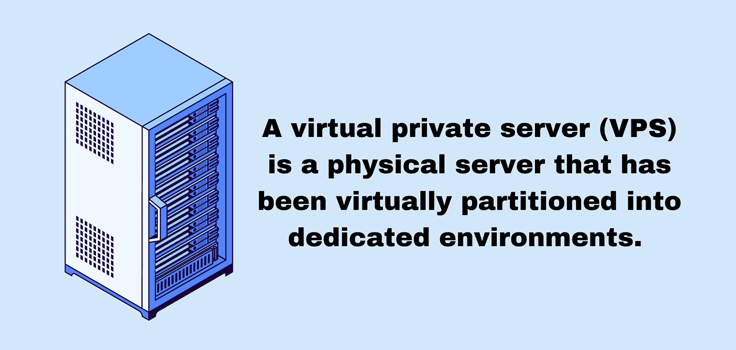
A VPS provides more value and ease of use than dedicated hosting by offering a similar format (dedicated resources) without a separate physical server. It mimics what you get with a dedicated server but at a lower cost since the physical server remains shared with other users.
Next to shared hosting, a VPS acts as the natural upgrade from a shared environment. Many growing organizations require an independent hosting environment to improve performance, control, and security when their websites or apps experience high traffic or become resource-intensive.
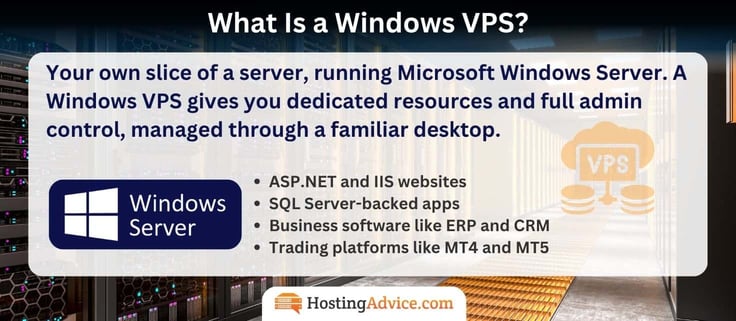
A Windows VPS is the same setup running Microsoft Windows Server as its operating system. You still get dedicated resources and full administrator control, but you manage the server through a graphical desktop over Remote Desktop instead of a command line.
What Is Windows Hosting?
Windows hosting often makes it easier for organizations to integrate their own systems into a hosting infrastructure.
Companies typically implement Microsoft software and hardware products into their Windows hosting servers. This means their Windows-centric users have no issues integrating their current systems and don’t need to learn a new hosting interface.
Windows hosting makes sense for developers and organizations that use Microsoft SQL Server, ASP.NET, and Microsoft Access. It can help them create a fluid link between those databases and programming elements when connecting to the host.
Some hosting companies specialize in Windows hosting, but many others offer it as one of many options. You may choose between Windows hosting and Linux hosting, depending on which system you prefer.
Although all hosting servers use specific software, operating systems, and hardware (such as Windows or Linux OS), hosting companies mostly offer Windows on VPS and dedicated server plans, though some, including AccuWebHosting and GoDaddy, still sell Windows shared hosting. Customers for VPS hosting and dedicated servers tend to be more selective about which technology is on the server.
What Are the Pros and Cons of Windows?
The Windows operating system has several advantages, making it one of the most popular solutions on the market. Many users prefer Windows over other operating systems, such as Linux distributions like Ubuntu and Rocky Linux, because of its consistent security patches and software updates.
The interface also stands out. Users find it recognizable, easy to learn, and intuitive for most skill levels. The user-friendly nature of Windows extends to its compatibility, seeing as how so many devices and applications work seamlessly with Windows and other Microsoft products.
Pros and Cons of Windows for a VPS:
Pros
- Runs .NET, ASP.NET, IIS & SQL Server natively
- Familiar desktop over Remote Desktop
- Runs Access, Exchange & Active Directory
- Monthly Microsoft security patches
- Each release supported for about 10 years
Cons
- License fees raise the monthly price
- Needs more RAM than Linux (2 GB+ recommended)
- Bigger malware target, so patch regularly
- Extra licenses for 3+ Remote Desktop users
- Less customizable than open-source Linux
Windows costs more to run on a VPS, but it’s the only choice for apps built on Microsoft technology. Choose Windows if your apps run on Microsoft tech. Choose Linux for PHP, WordPress, or the lowest price.
In terms of disadvantages, open-source software users may argue that Windows lacks the control and customization options you receive with an open-source solution like Linux. Windows also has a reputation as a resource hog. Windows may slow down a server without the proper hardware, and it can especially struggle if the operating system isn’t updated regularly.
Windows has also received criticism for its security vulnerabilities. Microsoft has worked to improve this over the years, but Windows remains one of the systems more prone to malware and viruses when compared to other operating systems.
For a VPS specifically, the choice usually comes down to your software. Windows is the right fit if you run .NET, ASP.NET, IIS, or Microsoft SQL Server, or if your team would rather manage a server through a familiar desktop. Linux costs less because there’s no OS license, and it’s the standard for PHP and LAMP-based apps like WordPress.
What’s the Difference Between Windows Server Standard and Datacenter?
Both editions run the same applications, use the same interface, and receive the same security updates. The difference is scale: Datacenter adds features built for running many virtual machines on one server, including unlimited Hyper-V guests and software-defined storage and networking.
For a single website or app server, Standard covers everything you need. Datacenter only earns its place if you plan to run Hyper-V inside your VPS. Kamatera lets you pick either edition at deploy, across Server 2016 through 2025.
Windows Server Standard Versus Datacenter:
| Standard | Datacenter |
|---|---|
| Best for most VPS users | Best for heavy virtualization |
| Runs the same apps and interface | Runs the same apps and interface |
| Covers 2 Hyper-V virtual machines | Unlimited Hyper-V virtual machines |
| Ideal for websites and app servers | Adds software-defined storage and networking |
| Same security updates | Same security updates |
Can I Run Windows on a VPS?
Yes. In fact, Windows acts as one of the main operating systems found when you shop for VPS hosting. Users can either sign up for a VPS with the Windows operating system already installed or opt for a hosting company that lets them choose which operating system to run on the server.
Regardless, the operating system for your virtualized section of the server remains separate from any other operating systems placed in different server segments. That means one VPS instance could run on Linux while another uses Windows. Both VPS instances remain independent, ensuring resources and optimization elements never combine.
Every host on this list offers Windows, but some reserve it for larger plans. GoDaddy‘s entry VPS plan is Linux only, for example, so Windows starts on its 2 vCPU tier.
Licensing & Cost

How Much Is a Windows VPS?
That depends on the hosting company you choose and the level of resources required for your website or application. You usually pay more for managed VPS hosting, and the costs vary significantly.
To give you a starting point, the lowest price for a Windows VPS is $10 per month or less. VPS hosting at that price caters to users with basic feature requirements and lower resource usage. The lower-tiered Windows VPS plans are marketed as entry-level plans with one or two cores and anywhere from 500 GB (AccuWebHosting) to a few terabytes of transfer. That’s still high when compared to shared hosting.
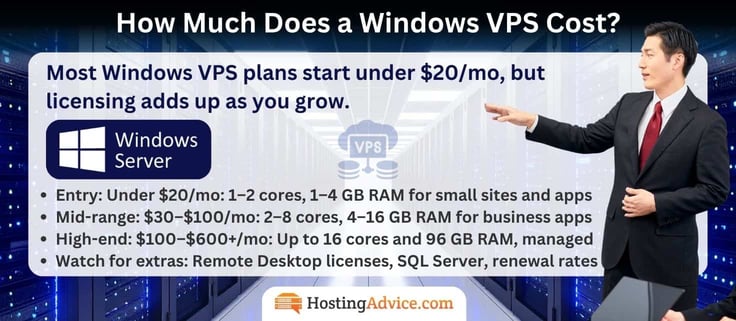
On the pricier end, Windows VPS hosting can range from $100 to more than $600 per month. These plans add significant levels of memory, SSD storage, transfer rates, and dozens of cores to support a resource-heavy (or high-traffic) website.
It’s also worth noting that Windows VPS hosting often costs more than Linux VPS hosting because of Microsoft’s licensing fees. Hosting providers have to pay to run Windows on their servers, and those added expenses are usually passed along to you.
Also check what happens after the first term. IONOS‘s introductory Windows rate lasts three months on a one-year term, GoDaddy‘s promo requires a three-year term, and AccuWebHosting‘s monthly renewal rates run higher than its annual pricing.
Is the Windows License Included in the Price?
At most hosts, yes.
Here’s how the top hosts stack up:
- Kamatera states the license cost is included in its quoted price
- AccuWebHosting lists Windows Server as licensed on every standard plan
- Hostwinds activates the license automatically when your server deploys
- IONOS, Liquid Web, InterServer, and GoDaddy quote a single Windows price without itemizing the license
What’s usually not included is extra Microsoft software. SQL Server editions beyond Express, additional Remote Desktop licenses, and Microsoft Office are typically billed separately, so price those out if your app depends on them.
Do I Need Extra Licenses for Remote Desktop Users?
Windows Server allows two simultaneous administrator sessions over Remote Desktop without extra licensing. That covers most setups where one or two people manage the server. You only need extra licenses if more than two people need to be on the server at the same time.
Extra Licenses for Remote Desktop:
- 2 admin sessions: Included with every Windows Server license
- Team or staff access: Requires Remote Desktop licenses (CALs)
- AccuWebHosting: Sells CALs in 5-device packs
- Kamatera: Adds Remote Desktop licenses per user
If more people need to work on the server at once, such as a team sharing business software or remote staff logging into a desktop, you’ll need Remote Desktop Services client access licenses (CALs). AccuWebHosting sells them starting at $40/mo for five devices, and Kamatera offers Remote Desktop licenses per user as a configurator add-on.
Can I Get Microsoft SQL Server on a Windows VPS?
Yes, though terms vary by host. SQL Server Express is free and handles smaller databases well, while the Web, Standard, and Enterprise editions add capacity and features for a licensing fee.
AccuWebHosting includes MSSQL Express free and sells MSSQL Web Edition as an add-on. Kamatera also offers Express free and bills the Web, Standard, and Enterprise editions per vCPU. Hostwinds doesn’t sell MSSQL licenses, but its technicians can help install one you buy directly from Microsoft.
Comparing Hosts

Which Windows VPS Host Is Cheapest?
AccuWebHosting has the lowest licensed entry price at $6.33/mo for its Opal plan, followed by InterServer at $10.00/mo. IONOS starts at $16.00/mo for a larger 4 GB server, though that’s an introductory rate for the first three months on a one-year term.
If you’d rather not pay anything up front, two hosts let you test Windows for free. AccuWebHosting offers a free month with no credit card, and Kamatera‘s 30-day trial covers one server configured up to $100, license included.
Which Host Offers the Most Windows Server Versions?
Kamatera offers Server 2016, 2019, 2022, and 2025, each in Standard and Datacenter editions, plus Windows 10 and 11 desktop images. Hostwinds is the only host here still offering Server 2012, which helps with legacy software but no longer receives security updates.
Most other hosts focus on current releases. IONOS offers Server 2022 or 2025, AccuWebHosting offers 2019 through 2025 depending on the plan, and Liquid Web‘s configurator lists Server 2025 Standard.
Which Windows VPS Hosts Offer a Free Trial or Money-Back Guarantee?
Kamatera offers a 30-day free trial with a credit card on file, and you won’t be charged if you stay within the trial limits. AccuWebHosting offers a 7-day money-back guarantee plus a free first month on a separate Windows plan, and IONOS offers a 30-day money-back guarantee.
Refund windows are shorter elsewhere. Hostwinds refunds within 72 hours, prorated, and GoDaddy refunds within 30 days on annual terms or 48 hours on monthly ones. InterServer and Liquid Web don’t offer refunds on VPS hosting, though InterServer bills month to month and lets you cancel anytime.
Which Hosts Offer Managed Windows VPS?
Hostwinds sells managed Windows plans directly, with Windows specialists who handle OS updates, virus scans, and boot failures. Liquid Web adds Core or Fully managed support to any Windows server for $21 or $39 more per month, and fully managed servers include ServerSecure hardening.
InterServer includes managed support automatically once you reach 8 slices. Kamatera and AccuWebHosting offer management as an add-on service, and GoDaddy sells Managed VPS as a separate product.
Managed Versus Unmanaged Windows VPS:
| Unmanaged | Managed |
|---|---|
| Lower cost, more control | Hands-off, expert support |
| You install updates and patches | Host handles OS updates and patches |
| You troubleshoot server issues | Specialists fix boot and load problems |
| Full admin freedom | Monitoring and security handled for you |
| Best for IT pros and developers | Best for businesses without IT staff |
Hostwinds, Liquid Web, and InterServer offer both.
How Do I Choose the Best Windows VPS Hosting Provider?
When seeking the best web hosting, list your needs and compare them with the features offered by each VPS hosting company. Think about the resources required for your website (bandwidth, CPU, storage, and RAM). Consider how those needs may grow into the future.
Check the plans from each VPS hosting provider to see if they allow you to scale up as your business grows: pricing structures and increases between plans. Ensure the host provides plenty of online resources along with dedicated technical support should something go wrong with your hosting.
Better yet, take a look at our detailed list above covering seven Windows VPS hosting providers. You’ll find specs, pricing, and compatibility details, plus expert reviews and ratings for each one.
Run through these five questions before you compare prices:
- Is the Windows license in the monthly price? Kamatera, AccuWebHosting, and Hostwinds state the license is included. Where a host doesn’t itemize it, check the checkout total before you commit.
- Which Windows Server versions can you deploy? Server 2016 loses security updates in January 2027, and 2012 already has. New projects should start on 2022 or 2025.
- How many people need Remote Desktop access at once? Two admin sessions come standard. More users need Remote Desktop licenses, which AccuWebHosting sells starting at $40/mo for five devices and Kamatera sells per user as an add-on.
- Do you need SQL Server? AccuWebHosting and Kamatera offer MSSQL Express free. Hostwinds doesn’t sell MSSQL licenses, so you’d buy them from Microsoft.
- How much management do you want? InterServer adds managed support at 8 slices, Liquid Web offers Core and Fully managed tiers, and Hostwinds sells managed Windows plans outright.
| If you need… | Start with |
|---|---|
| A mid-size server at a low introductory rate | IONOS |
| Exact custom sizing and a free trial | Kamatera |
| A path from self-managed to fully managed | Liquid Web |
| Low-cost scaling in small steps | InterServer |
| A choice of older Windows Server releases | Hostwinds |
| The lowest licensed price or a free month | AccuWebHosting |
| Plesk-managed Windows from a familiar brand | GoDaddy |
Setup & Getting Started

How Do I Connect to a Windows VPS?
Use a Remote Desktop (RDP) client with the IP address and administrator credentials your host sends after setup. RDP clients are built into Windows and available free for macOS, Linux, iOS, and Android, so you can manage your server from almost any device.
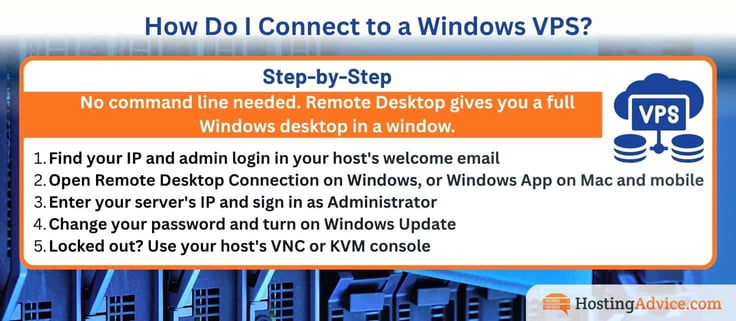
Steps to Connect to a Windows VPS:
- Find your IP and admin login in your host’s welcome email
- Open Remote Desktop Connection on Windows, or Windows App on Mac and mobile
- Enter your server’s IP and sign in as Administrator
- Change your password and turn on Windows Update
- Locked out? Use your host’s VNC or KVM console
If RDP stops responding, some hosts give you a backup route. Hostwinds also supports VNC, and IONOS provides a KVM console in its Cloud Panel for access when network or firewall issues block Remote Desktop.
Which Windows Server Version Should I Choose?
Choose Windows Server 2025 or 2022 for anything new. Server 2025 receives security updates until November 2034 and 2022 until October 2031, though 2022 leaves mainstream support in October 2026.
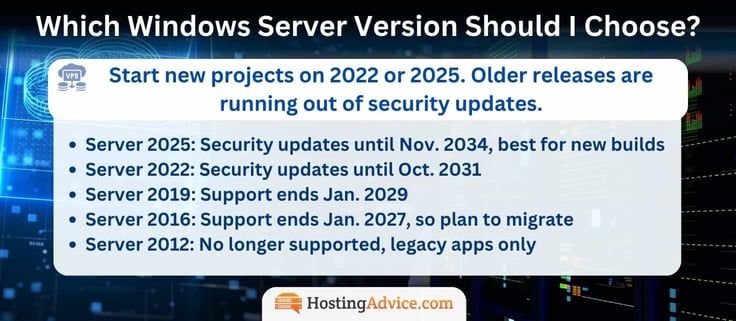
Older releases make sense only when a legacy application requires them. Server 2019 loses security updates in January 2029, Server 2016 in January 2027, and Server 2012 already has. If you’re tied to an older app, plan a migration path before those dates.
Can I Switch From Windows to Linux Later?
Usually it means a rebuild, not a toggle. IONOS, for example, requires a new order to move from a Windows VPS+ to Linux, and points customers who want OS flexibility to its Cloud Server plans instead.
Hosts with custom configurators, like Kamatera, let you deploy a new Linux server alongside your Windows one, move your data over, and delete the old server. Either way, plan your OS choice before you deploy, and back up your data before any rebuild.
Can I Install a Control Panel on a Windows VPS?
Yes. Plesk is the most common control panel for Windows, and SolidCP is a popular free alternative. cPanel only runs on Linux, so it isn’t an option for a Windows server.
AccuWebHosting includes SolidCP or aaPanel free and sells Plesk editions as add-ons, and Kamatera offers Plesk Web Admin, Web Pro, and Web Host editions in its configurator. GoDaddy offers Windows Server in Plesk editions, Liquid Web includes Plesk on fully managed Windows servers, and Hostwinds lets you install Plesk or SolidCP yourself.
Final Thoughts on the Best VPS Windows Hosting Services
We recommend these hosts because they’re the best Windows VPS hosting options around. Kamatera and IONOS give you the most control over how a Windows server is built and scaled, while Liquid Web, InterServer, and Hostwinds all have VPS hosting plan options that allow you to start small and upgrade as your website grows. AccuWebHosting is the cheapest licensed way to test Windows, and GoDaddy keeps Plesk and your domains under one account.
If you’re still deciding, narrow it to three.
- Choose IONOS if you want a dedicated Windows server with unlimited traffic, a personal consultant, and room to clone VMs and add storage as you grow.
- Pick Kamatera if you’re a developer or IT team that wants to size every resource, choose any Windows Server release from 2016 to 2025, and test the build free for 30 days.
- Get Liquid Web if your business would rather hand off updates and security. It lets you start self-managed and move to fully managed on the same server when the workload demands it.
Windows VPS hosting has its pros and cons, but it definitely works well for organizations that want streamlined software connections — especially since Windows integrates with just about everything.
You may spend a little more for Windows VPS hosting than Linux, but it’s a wise choice if you want a familiar, user-friendly interface with regular security patches and updates. Of course, if you already use a Microsoft programming language or database system (such as Microsoft Access), there’s no real reason to consider anything other than a Windows VPS.